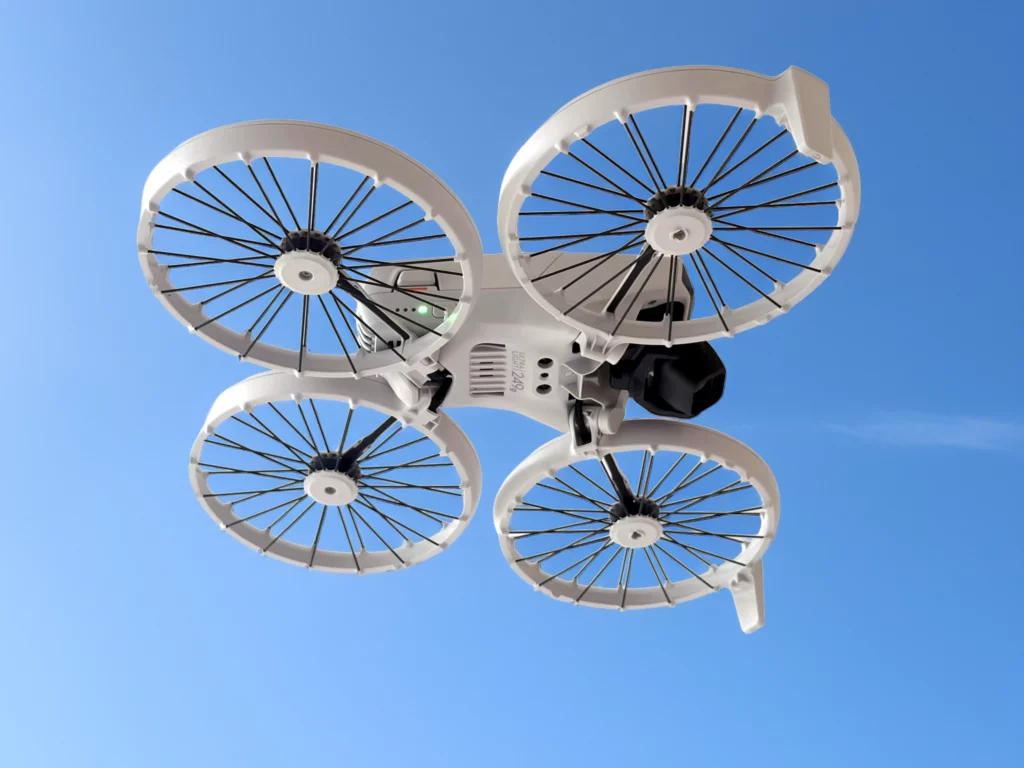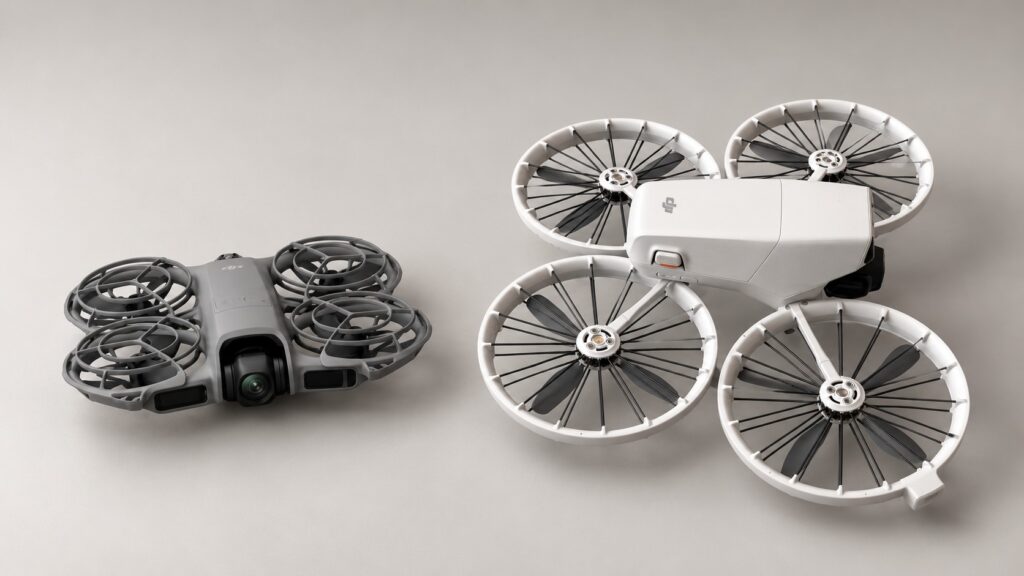
I would choose the DJI Flip for photography and footage you want to edit. Its RAW stills, D-Log M video and three-axis gimbal give you more creative options. Choose the DJI Neo 2 for a lighter self-filming kit, especially if gesture control or the option of goggles appeals to you.
These links are different starting packages: Neo 2 with one battery and no controller, and Flip with one battery and an RC-N3 phone controller. If you want physical sticks for either drone, compare the complete equipment cost.
Which one suits the shots you want?
| Your priority | My starting choice |
|---|---|
| Landscape photographs and colour editing | Flip: RAW photos and D-Log M provide a fuller editing workflow. |
| A small drone for short clips of yourself | Neo 2: lower aircraft weight, gesture controls and generous internal recording space. |
| Longer sessions on one battery | Flip has the longer manufacturer-rated endurance. |
| Trying goggles as well as ordinary filming | Neo 2, with its required transceiver and compatible goggles/control equipment. |
Both support palm take-off, tracking and conventional controllers. Either can capture quick automated clips during an outing.
Flip gives photographers more to work with
Flip has a 1/1.3-inch sensor, compared with Neo 2’s 1/2-inch sensor. For stills, Flip offers 12MP and 48MP shooting and supports DNG RAW as well as JPEG. Neo 2 records 12MP JPEGs. Choose Flip if you want to adjust white balance and develop your photographs from RAW files.
For video, Flip adds 10-bit D-Log M and 4K/60fps HDR options. D-Log M suits a deliberate colour-grading workflow; use Normal when you want a simpler route to a finished clip. Neo 2 offers Normal colour recording, which is a straightforward fit for short edits and sharing.
Flip’s three-axis gimbal mechanically stabilises tilt, roll and pan. Neo 2 uses a two-axis tilt/roll gimbal with electronic stabilisation. I favour Flip for planned landscape moves where smooth framing is the main reason for taking the drone.
For vertical social clips, Neo 2 supports 2.7K recording up to 60fps, while Flip’s 2.7K vertical mode reaches 30fps. Both list 4K/100fps horizontal recording; Neo 2 requires remote or motion control for that mode.
Neo 2 makes a compact self-filming kit
DJI lists Neo 2 at 151g without the Digital Transceiver and 160g with it. Flip is under 249g. Neo 2’s low, flat body is easy to accommodate in a small bag; Flip folds its propeller guards into a taller package. Check the usable space in the bag you actually take walking.
Neo 2’s gesture control lets you adjust framing during supported Follow and Spotlight operation. Its SelfieShot modes also suit quick solo or group compositions. Flip offers Follow and other automated shots too, so palm launch by itself is little reason to choose one over the other.
Neo 2 specifies omnidirectional vision sensing with forward LiDAR. Flip has forward infrared sensing and downward positioning sensors, and DJI says obstacle avoidance is unavailable during Flip’s intelligent shooting and flight modes. Use a clear, open route for tracking, with space around the subject and away from thin branches, wires and glass.
For conventional flying, both support RC-N3, RC-N2 and RC 2. Neo 2 also needs its removable Digital Transceiver. Flip does not support DJI goggles or motion controllers. Our Neo 2 transceiver and controller guide covers the supported combinations, goggles and packages that already include the module.
Plan the battery and footage routine
Flip’s rated maximum flight time is 31 minutes. DJI gives Neo 2 approximately 19 minutes, or approximately 17 minutes with propeller guards fitted; its quoted test excludes the Digital Transceiver. These are manufacturer test figures under stated conditions. Leave time to return and land with a reserve, and expect wind and manoeuvres to reduce a session.
For repeated practice on one battery, I would take Flip. For a few short automated clips during a walk, Neo 2’s size may be the more useful advantage. Spare batteries make sense when you regularly stop at several locations; price those alongside a suitable hub and power supply before choosing a bundle.
Neo 2 records to 49GB of internal storage and has no microSD expansion. Flip has 2GB internally plus a microSD slot. Fit a supported card to Flip for a normal filming day; our drone microSD buying guide explains the card choice. With Neo 2, build a download stop into longer trips so you can clear recording space.
Copy important footage to a second destination and open representative files before deleting the originals.
Choose the complete kit
For camera-led travel and photography, start with the Flip RC-N3 kit if you have a compatible phone. An RC 2 package gives you a built-in screen. For light self-filming without physical sticks, the Neo 2 Drone Only package is a sensible starting point; add controllers or goggles only when you want that style of flying.
Compare the exact included controller, number of batteries, charging hub and power supply. On Neo 2, check for the Digital Transceiver as well. Similar Fly More names can describe different retail bundles, and your existing compatible DJI controls may save you buying another set.
For outdoor UK flying, arrange a Flyer ID and Operator ID for either model under the CAA’s current registration requirements. Keep the aircraft in direct sight and follow the Drone Code. A Neo 2 goggles session needs an observer beside you under the CAA’s FPV guidance.
If neither format quite fits, the beginner drone buying guide includes traditional folding camera drones as well.
Technical basis: DJI’s current Neo 2 specifications, Flip specifications, respective Neo 2 and Flip FAQs, and Flip beginner instructions, checked 19 October 2026. Recommendations combine those specifications with practical filming and buying judgement.