For a small drone and controller, start with the supplied shoulder bag if it has enough room. A camera-and-drone backpack earns its place when you also carry lenses, a tripod and clothing. A fitted hard case suits a kit that travels mainly by car and needs a more rigid outer shell.
My two upgrade picks serve different jobs: the PGYTECH OneMo 2 25L for mixed photography kit, and the Lykus Titan MM410 for a DJI Mini 4 Pro, Mini 3 Pro or Mini 3 kit with a listed controller.
Check OneMo 2 25L price on Amazon UK
Check Lykus MM410 price on Amazon UK
Choose by what you carry
| Your outing | Best starting point | What makes it fit |
|---|---|---|
| A short walk with one drone kit | Your supplied compact bag | Keeps the aircraft, controller and flight essentials together with little extra bulk. |
| A photography day with a camera and drone | PGYTECH OneMo 2 25L | Adjustable dividers, camera access and room to organise a mixed kit. |
| A Mini 4 Pro or Mini 3-series kit carried mainly from the car | Lykus Titan MM410 | A rigid shell and shaped spaces for the supported drone, controller and accessories. |
Choose the carrying format first, then check the exact kit layout. A bag’s litre rating describes volume; it tells you much less about whether your controller, charging hub and folded aircraft will sit neatly together.
For a small kit: keep a compact shoulder bag
A supplied bag is a sensible place to start. Pack the drone, controller, batteries you expect to use, cables and spare propellers. If everything has a supported place and the zip closes freely, you already have a useful carrying setup.
This works especially well for a brief outing where the drone is your only camera. You can lift the whole kit from a cupboard and leave without repacking a larger photography bag.
A backpack becomes more appealing when you also need a coat, water or another camera. Carrying those separately while a shoulder bag hangs at your side is the point where combining everything can make the walk simpler.
For a first kit, our essential drone accessories guide helps you decide which extras deserve space in the bag.
For a camera and drone: PGYTECH OneMo 2 25L
The OneMo 2 25L is my pick here for a mixed photography setup. Its adjustable partitions let you build spaces around a camera, lenses and drone, while the rear opening gives you access to the full layout. The 25L version also has two side access points for the camera.
PGYTECH’s example load includes one camera, four lenses and a Mavic 3 combo. That is a useful indication of its intended role: a proper photography bag with room for a drone alongside the ground camera.
It includes a removable shoulder bag, so you can separate a smaller kit from the main backpack. There is also a padded laptop compartment. Those features make more sense for a day of mixed shooting than for taking a tiny drone to a nearby field.
Plan the main compartment around the gear you actually take. Leave everyday items accessible rather than filling every space with another lens or battery. The backpack itself adds weight before you load it, so a light drone-only outing is a good reason to keep using the smaller bag.
PGYTECH describes the fabric as splash-proof and supplies a rain cover. Use the cover when rain starts, and give wet kit and the bag time to dry before putting them away.
For an organised Mini kit: Lykus Titan MM410
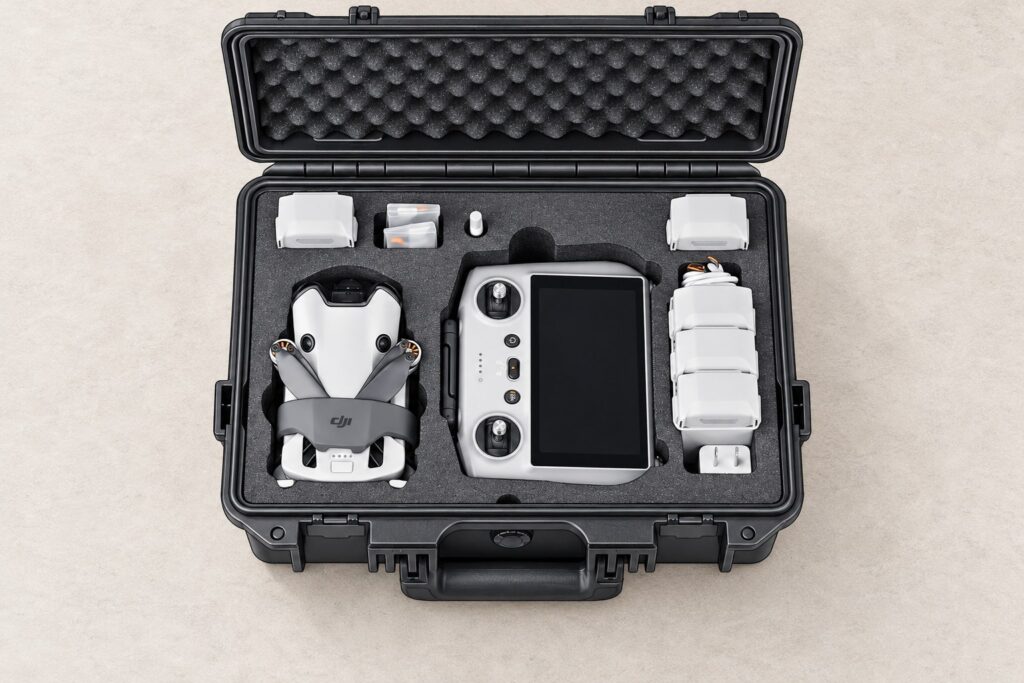
The MM410 suits a Mini kit that you want to keep laid out and ready for transport. Its polypropylene shell surrounds a shaped EVA foam insert, giving the aircraft and accessories their own spaces. For car-based outings, that organised layout is a useful reason to choose it over a shoulder bag.
Lykus lists the DJI Mini 4 Pro, Mini 3 Pro and Mini 3, with DJI RC 2, RC, RC-N2 or RC-N1 controllers. It specifies room for up to seven batteries, a charging hub, charger and smaller accessories. Buy it for that listed combination; a Mini 5 Pro, Lito or Neo 2 needs its own confirmed case layout.
The case measures 36 × 26 × 14.4cm and weighs 1.7kg empty. That gives you a concrete packing check for a boot, cupboard or larger bag. For a long walk, compare that extra weight and hand-carried format with a backpack before choosing.
Lykus specifies an IP67 rating for the case. Keep the seal clean and the lid properly closed to retain the intended protection. The case’s rating describes the enclosure, not the aircraft inside it.
The linked listing is case only; the drone, controller and batteries are separate. Check the chosen colour and whether a shoulder strap is included if you want one.
Check the complete kit before buying
Lay out one normal outing’s equipment and compare it with the maker’s packing diagram. Start with the largest pieces, because they determine the layout:
- Aircraft: use its packed shape, including the gimbal cover and any transport holder.
- Controller: match the exact model. A built-in-screen controller and a phone-based controller occupy different shapes.
- Hub and batteries: check the pictured arrangement and where the spare packs sit.
- Fitted accessories: a controller cover, screen hood or lanyard fitting can change the space needed.
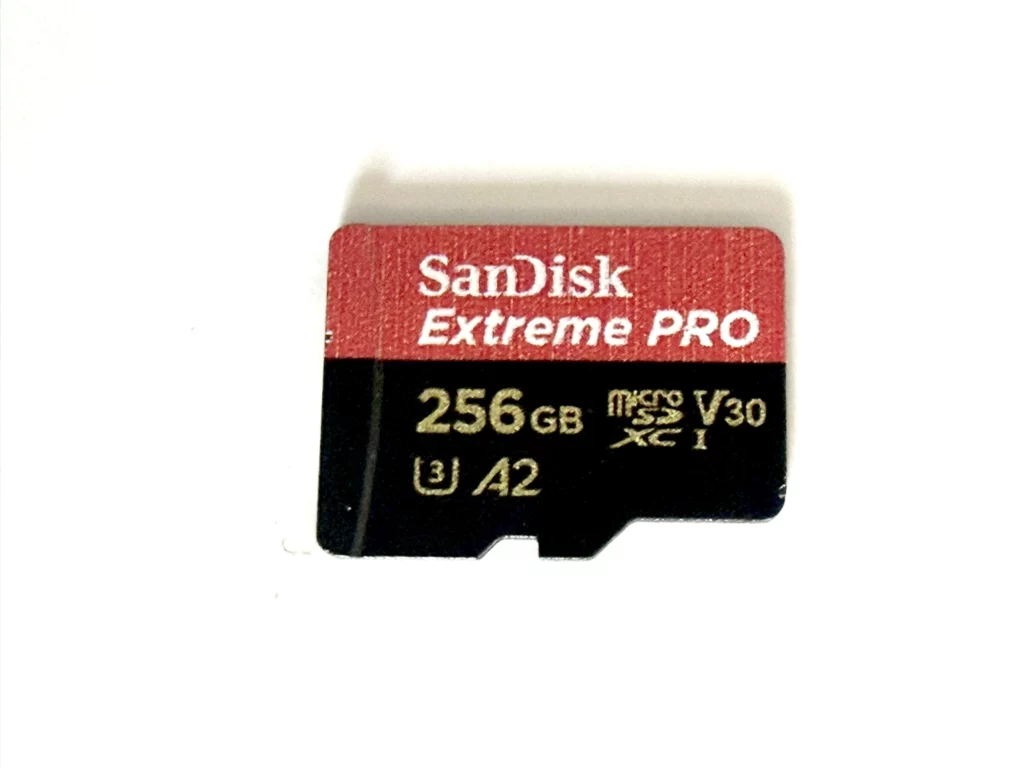
- Small essentials: allow a separate place for the cable, spare propellers, cards and filter case.
For a divided backpack, measure the protected aircraft and controller against the usable compartments. For a moulded insert, look for your exact kit in the compatibility list and packing images. The lid or zip should close without pressing on the gimbal, sticks or propellers.
A larger case is worthwhile when it solves a real packing problem. Empty battery slots alone are a poor reason to carry more case on every outing.
Pack for the journey home as well
Keep small metal items and tools away from exposed battery contacts, and use the dedicated battery spaces or suitable individual protection. Give damp straps, the bag and any wet accessories time to dry before storing the kit.
For Mini 4 Pro batteries, DJI says to keep them clean and dry, away from heat and direct sunlight, and out of a vehicle on a hot day. It also says to let a battery cool close to room temperature before charging after a flight. Leave charging for a suitable setup outside the packed bag or closed case.
If you are assembling that setup too, our Mini 4 Pro charger guide helps you choose a USB Power Delivery supply and plan charging through the hub.
Taking the drone on a flight? The CAA’s drone travel guidance says to carry drone batteries in hand luggage in separate LiPo-safe battery bags and follow the airline’s watt-hour limits. Choose the pouches before you finalise the bag layout, and check your airline’s current cabin size and weight allowance.
Selection basis: these recommendations combine the manufacturers’ published layouts and specifications with practical kit-planning judgement. Product facts were checked on 20 October 2026. See PGYTECH’s OneMo 2 specifications, Lykus’s MM410 fit list and DJI’s Mini 4 Pro safety guidance. The featured image is an illustration based on Lykus’s product layout.