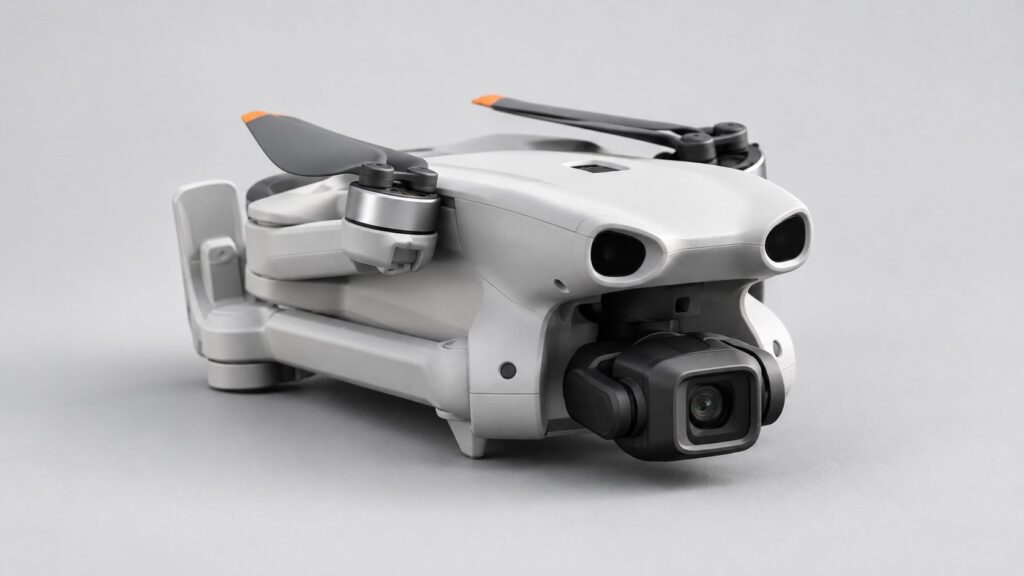
For daylight video on the Lito X1, I recommend starting with DJI’s Flip/Lito Series ND16/64/256 filter set. It fits the X1 and gives you three strengths for controlling bright light while keeping the shutter speed you want.
The useful starting point for 25fps video is a shutter speed of 1/50 second. An ND filter helps you use that setting in bright conditions, giving movement a little natural blur. Here’s how to choose the strength and get it set up.
What does an ND filter do for your footage?
Think of an ND filter as sunglasses for the camera. It reduces the light reaching the sensor, so you can use a slower shutter speed while keeping the picture correctly exposed.
That matters for video because shutter speed changes how movement looks. A very fast shutter records crisp individual frames, which can make movement look staccato. At 25fps, 1/50 second adds some blur within each frame for a more flowing result. For 50fps or 60fps, start with 1/100 or 1/120 second respectively.
The Lito X1 has a fixed f/1.7 aperture that lets in plenty of light. An ND filter gives you a way to reduce that light while keeping a low ISO and your chosen shutter speed. For still photographs, a faster shutter is often helpful for freezing movement, so you can usually leave the filter in its case.
Which ND strength should you use?
A higher number means a darker filter. Each stop halves the light reaching the camera; the DJI set gives you four, six and eight stops of reduction.
| Filter | Light reduction |
|---|---|
| ND16 | 4 stops |
| ND64 | 6 stops |
| ND256 | 8 stops |
Use the exposure on screen to choose between them. If ND16 still leaves the picture too bright at your chosen shutter speed and ISO, move up to ND64. If ND64 makes it too dark, use ND16 and a faster shutter. A well-exposed picture is the priority.
For example, if the scene is correctly exposed at 1/800 second without a filter, ND16 lets you use 1/50 second at the same ISO. The filter cuts the light by a factor of 16, so the exposure can be 16 times longer. NiSi’s density chart is a useful reference for these filter factors.
A simple setup for 25fps video
- Choose your recording settings. Select the resolution, 25fps frame rate and colour mode you plan to use.
- Set a low ISO and 1/50-second shutter. Check the exposure with the camera looking towards the scene you intend to film.
- Choose a filter to suit the light. Power the aircraft off before fitting it, following the filter’s instructions.
- Restart and check the picture. Look at the exposure again, then record a short clip before your main flight.
Keep an eye on changing light. When cloud covers the sun, a lighter filter may give you a better exposure. As daylight fades, land and remove the filter so the camera can make the most of the available light.
Is the DJI set the right one to buy?
The official three-filter set is a good starting choice for bright-day filming. DJI’s UK product page lists both the Lito X1 and Flip as compatible, which explains why some shop listings lead with the Flip name. Check for the exact ND16/64/256 set. Lito 1 is not on DJI’s compatibility list; our Lito 1 versus X1 guide covers the differences between those aircraft.
The main buying trade-off is the gap between strengths. If you need to hold exactly 1/50 second through a wider range of light, intermediate densities such as ND32 give you finer control. ND32 cuts five stops, halfway between ND16 and ND64. For any third-party option, confirm the exact X1 fit and check DJI’s qualified-accessory guidance for your aircraft configuration.
ND256 gives you substantial light reduction for very bright conditions or long-exposure work. For a first kit, budget for recording storage, batteries and a suitable case alongside filters; our beginner accessory guide helps you prioritise. If you’re still choosing the aircraft itself, use our best drones for different beginner needs.
Fit it carefully, then check a short clip
With the aircraft powered off, fit the filter using its supplied instructions. Hold it by the frame to keep fingerprints off the glass, and handle the gimbal gently. DJI’s X1 manual lists the official ND set among its qualified accessories and points you to the filter instructions for installation.
Remove the transport protector before powering up. Check that the filter is secure, the camera view is clear and the gimbal starts normally. A loose mount or gimbal warning needs sorting before take-off.
Watch your sample clip at full size for sharp detail, even brightness and natural colour. Look into any unexpected corner shading, reflections or colour shift before recording the footage you came for. If you’re getting the drone ready for its first outing, the Lito first-setup guide takes you through charging, recording storage and transferring your footage.