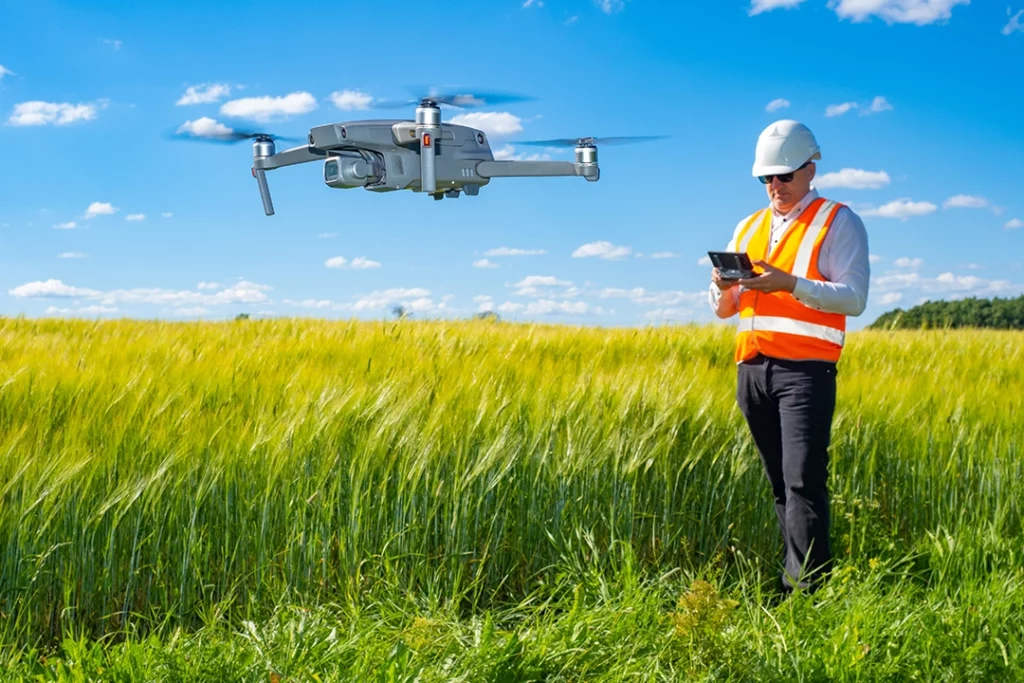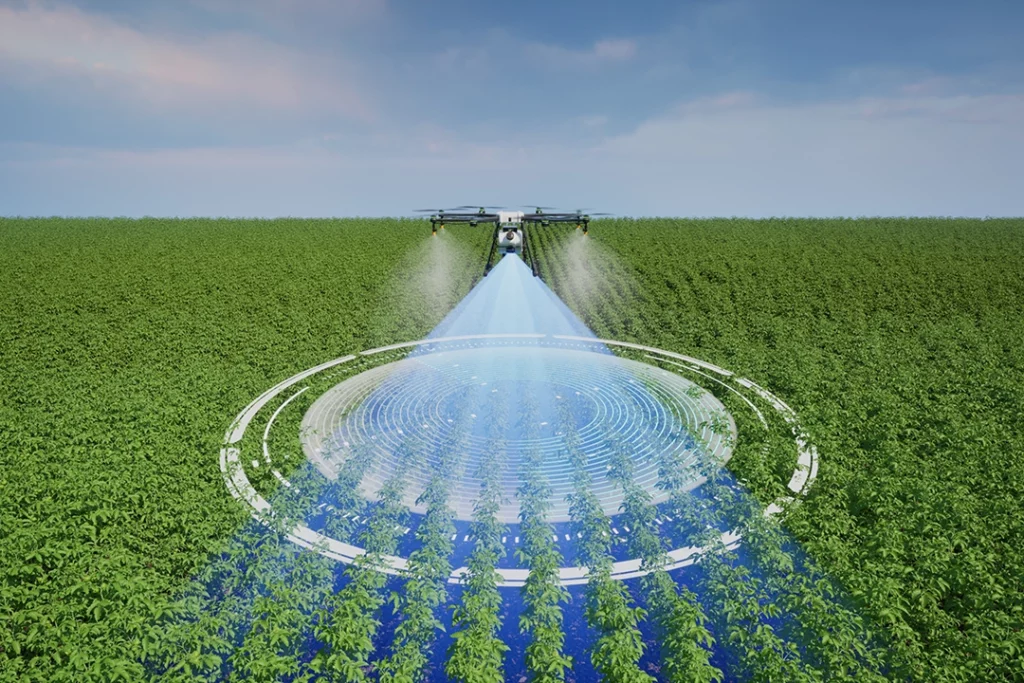
Drone mapping is one of the most useful professional applications of drone technology. Instead of using a drone just to take attractive aerial photos or video, drone mapping uses overlapping images, sensor data and specialist software to create measurable maps, models and datasets.
That is what makes it different from normal drone photography. A single aerial image might look impressive, but a drone mapping flight is planned so the images can be processed into something more useful: an orthomosaic, 3D model, point cloud, elevation model, contour map, stockpile measurement or inspection record.
This matters in industries such as construction, land surveying, roofing, agriculture, solar, utilities, environmental work, heritage, insurance and infrastructure inspection.
Drone mapping also connects closely with photogrammetry, LiDAR, RTK, PPK, thermal imaging, inspections and professional drone buying decisions.
Table of Contents
ToggleQuick Answer: What Is Drone Mapping?
Drone mapping is the process of flying a drone over an area in a planned pattern, capturing overlapping images or sensor data, and processing that data into measurable outputs.
Those outputs can include:
- orthomosaic maps
- 3D models
- point clouds
- digital surface models
- digital terrain models
- contour lines
- elevation data
- stockpile measurements
- roof inspection records
- construction progress maps
- thermal inspection reports
A drone mapping job is not just “taking photos from above”. The value comes from planning the flight properly, capturing enough overlap, using the right sensor, processing the data correctly and understanding what the final output is meant to show.
Drone Mapping vs Drone Photography
Drone photography is usually about creating a visual image.
Drone mapping is about creating usable data.
That is the key difference.
A drone photo might show a building, field, roof or construction site. A drone map can help measure, compare, inspect, calculate or document that same subject.
For example:
| Drone Photography | Drone Mapping |
|---|---|
| One-off aerial image | Planned image capture |
| Mainly visual | Measurable output |
| Useful for marketing | Useful for analysis |
| Manual framing | Automated flight paths |
| Individual photos/videos | Orthomosaics, models, point clouds |
| Creative result | Technical deliverable |
The two can overlap. Good mapping data still needs clear images. But the purpose is different.
A drone photographer is usually trying to capture the best-looking image. A drone mapping operator is trying to capture enough accurate data for software to process.
How Drone Mapping Works
Most drone mapping follows a simple workflow.
First, the operator defines the area to be mapped. This might be a construction site, roof, field, quarry, road, solar farm, woodland edge, estate, building or parcel of land.
Next, a flight plan is created. Instead of flying manually and taking random photos, the drone usually follows a planned grid or route. The aim is to capture overlapping images from consistent height and angles.
Then the drone captures the data. With standard photogrammetry, this means taking many overlapping RGB photos. With LiDAR, the drone collects laser scan data. With thermal mapping, it captures heat data. Some workflows combine several data types.
After the flight, the data is processed in mapping software. The software identifies matching points between images or sensor data, aligns them, and creates the final outputs.
Finally, the results are checked and exported. Depending on the job, that might mean producing an orthomosaic, 3D model, contour map, point cloud, inspection report or measurement file.
What Is Photogrammetry?
Photogrammetry is one of the most common forms of drone mapping.
It works by taking many overlapping photographs and using software to calculate the position and shape of objects from those images.
The drone flies over the site and captures images with enough overlap for the software to match features between them. The software then reconstructs the scene and creates outputs such as orthomosaics, 3D models and point clouds.
Photogrammetry is popular because it can be done with many camera drones. You do not necessarily need a LiDAR payload to start understanding mapping. A suitable RGB camera, proper flight planning and good processing software can produce useful results.
Photogrammetry is commonly used for:
- construction progress mapping
- land and estate mapping
- roof and building surveys
- stockpile measurement
- agricultural field mapping
- environmental monitoring
- heritage documentation
- planning and site records
Its main limitation is that it depends on image quality and visible detail. It can struggle with reflective surfaces, uniform textures, dense vegetation, poor lighting and areas where the software cannot find enough matching points.
What Is an Orthomosaic?
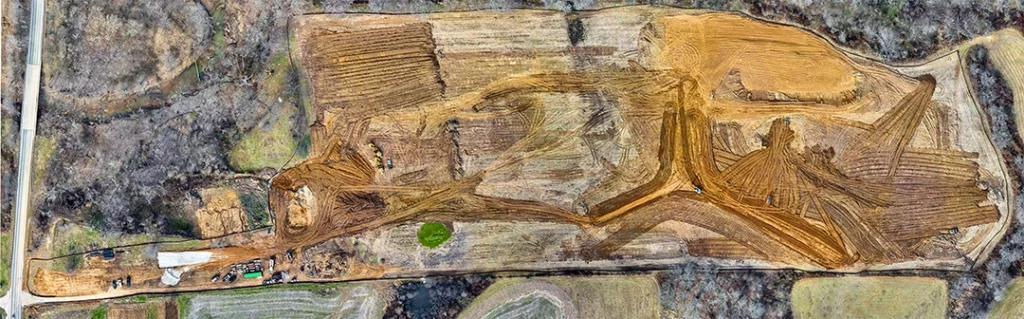
An orthomosaic is one of the most common outputs from drone mapping.
It looks like a large aerial image, but it is more than a normal photo. An orthomosaic is corrected so it has a consistent scale. That means it can be used like a map rather than just an image.
A normal aerial photo has perspective distortion. Objects closer to the camera may appear larger, and the image is affected by camera angle, terrain and lens distortion. An orthomosaic corrects these issues so the result is more suitable for measurement and mapping.
Orthomosaics are useful because they give a clear top-down view of a site.
They can be used for:
- construction progress records
- site planning
- land boundary context
- roof layout review
- drainage and access planning
- landscaping and estate management
- agricultural field monitoring
- visual comparison over time
For many clients, the orthomosaic is the easiest mapping output to understand because it looks like a detailed aerial map.
What Is a Point Cloud?
A point cloud is a 3D dataset made up of millions of individual points.
Each point represents a position in space. Together, those points form a 3D representation of the mapped area or object.
Point clouds can be created from photogrammetry or LiDAR, although the way they are generated is different.
A point cloud can show:
- ground levels
- buildings
- roof structures
- trees
- stockpiles
- slopes
- walls
- infrastructure
- terrain shape
- site features
Point clouds are useful because they give a more technical 3D view of the site. They can be used for measurement, modelling, comparison and analysis.
However, point clouds are not always the easiest output for beginners to understand. They are usually more useful when the person receiving the data knows how to work with 3D survey or CAD-style outputs.
What Is Drone LiDAR?
LiDAR stands for Light Detection and Ranging.
A LiDAR sensor sends out laser pulses and measures how long they take to return. This allows the system to build a 3D picture of the environment.
In drone mapping, LiDAR is especially useful where photogrammetry struggles. For example, LiDAR can be better for capturing ground shape through gaps in vegetation, mapping complex structures, producing dense point clouds and collecting accurate 3D data in certain professional workflows.
LiDAR is often used for:
- land surveying
- forestry
- infrastructure inspection
- powerline corridors
- railway and road corridors
- flood modelling
- quarry and stockpile work
- construction site modelling
- vegetation and terrain analysis
LiDAR equipment is usually much more expensive than standard camera-drone mapping equipment. It is not the first thing most beginners need, but it is important to understand because it sits at the higher-value end of the drone mapping market.
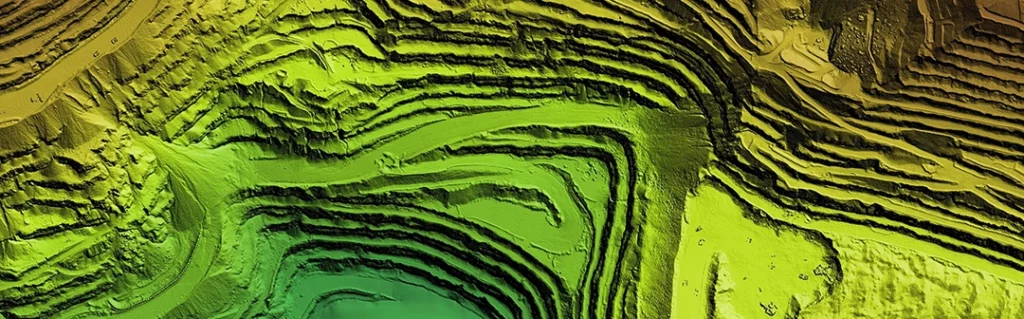
Photogrammetry vs LiDAR
Photogrammetry and LiDAR can both create 3D data, but they work differently.
Photogrammetry uses overlapping photos. LiDAR uses laser measurements.
| Feature | Photogrammetry | LiDAR |
| Data source | Overlapping RGB images | Laser pulses |
| Typical output | Orthomosaics, 3D models, point clouds | Dense point clouds, terrain data |
| Cost | Lower entry cost | Higher equipment cost |
| Visual detail | Strong colour/texture | Less image-like unless combined with RGB |
| Vegetation | Can struggle | Often better at reaching ground gaps |
| Best for | Visual mapping and site records | Accurate 3D structure and terrain work |
| Entry point | Easier for beginners | More specialist |
For many drone operators, photogrammetry is the first step into mapping. LiDAR comes later when the job requires more specialist 3D data, better terrain capture, vegetation penetration or higher-end survey workflows.
Photogrammetry is usually the accessible entry point. LiDAR becomes more relevant when the work needs more specialist 3D data, better terrain capture, vegetation penetration or higher-end survey-style workflows.
What Is RTK?
RTK stands for Real-Time Kinematic.
In drone mapping, RTK improves positioning accuracy by correcting the drone’s location data during the flight. Instead of relying only on standard GPS/GNSS positioning, an RTK system uses correction data to make the location of each image or data point more accurate.
This matters because mapping is not only about creating a nice-looking model. The data needs to be positioned correctly.
RTK can reduce the need for lots of ground control points, although it does not remove the need for proper workflow, checks and accuracy control. For professional mapping, it is still important to understand how the data will be used and what accuracy is actually required.
RTK is commonly associated with drones used for surveying, construction mapping, inspection, agriculture and professional site work.
What Is PPK?
PPK stands for Post-Processed Kinematic.
Like RTK, PPK is used to improve positioning accuracy. The difference is that PPK corrections are applied after the flight rather than in real time.
This can be useful when real-time correction links are unreliable or where the workflow is built around post-processing. PPK can be attractive for professional mapping because it allows the positioning data to be refined after the flight.
The basic distinction is:
- RTK corrects positioning during the flight.
- PPK corrects positioning after the flight.
Both are used to improve mapping accuracy. The right choice depends on equipment, workflow, site conditions, correction sources and the required output.
What Are Ground Control Points?
Ground control points, often shortened to GCPs, are marked points on the ground with known coordinates.
They help improve the accuracy of drone mapping outputs by giving the processing software fixed reference points.
A simple example would be placing visible targets around a site, measuring their position accurately, and then marking them in the mapping software. The software uses those known points to help align the model correctly.
Ground control points can be important when accuracy matters. RTK and PPK can reduce reliance on GCPs in some workflows, but they do not make accuracy checks irrelevant.
For beginner mapping, the key thing is to understand that a drone map is only as reliable as the workflow behind it. Good outputs come from good capture, good positioning and good processing.
Drone Mapping Outputs Explained
Drone mapping can produce several different outputs. Each one has a different purpose.
Orthomosaic
An orthomosaic is a corrected 2D map made from many overlapping images. It is useful for site plans, progress tracking, measurements and visual records.
3D Model
A 3D model gives a visual three-dimensional representation of the subject. It is useful for buildings, roofs, structures, landforms and presentation.
Point Cloud
A point cloud is a 3D dataset made up of individual points. It is useful for measurement, analysis, modelling and survey workflows.
Digital Surface Model
A digital surface model, or DSM, represents the surface including buildings, trees, vegetation and other objects.
Digital Terrain Model
A digital terrain model, or DTM, aims to represent the bare ground surface, usually with objects such as buildings and vegetation removed.
Contour Map
A contour map shows lines of equal elevation. It is useful for slopes, drainage, earthworks and landform analysis.
Stockpile Volume
Drone mapping can be used to measure stockpiles of materials such as soil, aggregate, stone, sand or waste. This is useful in construction, quarrying, landscaping and industrial sites.
Inspection Report
For roofs, solar panels, buildings and infrastructure, drone data can support inspection reports with annotated images, thermal data or 3D context.
Drone Mapping Use Cases
Drone mapping is useful anywhere a visual record, measurable map or 3D dataset can save time or improve understanding.
Construction Site Mapping
Construction is one of the most obvious drone mapping use cases.
A drone can capture regular site maps, progress records, stockpile data, access routes, drainage context and visual documentation. This can help project managers, clients and contractors understand what has changed over time.
The value is not just the image. It is the ability to compare one date with another.
Land and Estate Mapping
Drone mapping can help create updated visual records of land, estates, fields, boundaries, access tracks, woodland edges, drainage features and buildings.
This is useful for landowners, estate managers, planning consultants, rural businesses and environmental work.
Roof Mapping and Building Inspections
A drone can capture roof surfaces, chimney stacks, gutters, valleys, flat roofs, skylights, solar panels and difficult-to-access areas.
For inspections, the drone does not remove the need for expertise. The value is in safer access, better visibility and a clearer visual record.
Solar Panel Inspections
Drones can be useful for solar sites, especially when thermal imaging is involved. Thermal data can help identify abnormal heat patterns, although interpretation requires care and the right conditions.
Solar inspection connects closely with thermal imaging, inspection workflows and higher-value drone equipment.
Agriculture and Land Monitoring
Drone mapping can support crop monitoring, drainage review, field condition checks, vegetation analysis and land management.
Some agricultural work uses RGB imagery. More advanced work may use multispectral sensors or thermal data.
Quarries, Stockpiles and Earthworks
Drone mapping is useful for measuring material piles, tracking earth movement and monitoring sites over time.
This is one of the more commercially valuable uses because measurements can be directly tied to materials, costs and operations.
Heritage and Conservation
Drone mapping can help document historic buildings, landscapes, earthworks and sensitive sites.
The ability to create visual records, orthomosaics and 3D models can be useful for monitoring change over time.
What Drone Do You Need for Mapping?
The right drone depends on the job.
A basic camera drone may be enough to learn the principles of photogrammetry. But serious mapping usually benefits from features such as:
- a good camera sensor
- mechanical shutter or suitable image capture
- reliable flight planning
- RTK support
- stable image quality
- good battery life
- compatibility with mapping software
- consistent image capture
- suitable payload options for specialist work
For basic learning, you can understand mapping concepts with a more accessible drone. For professional outputs, the drone, camera, positioning system, processing software and workflow all matter.
This is why “best drone for mapping” is a more complex buying decision than “best drone for beginners”. The right answer depends on accuracy requirements, deliverables, budget and whether the work involves RGB mapping, LiDAR, thermal imaging or multispectral data.
Can Beginner Drones Be Used for Mapping?
Some beginner drones can be used to learn mapping concepts, but they are not always ideal for professional mapping.
A lightweight drone may be useful for basic photogrammetry practice, simple site imagery and learning how overlap, flight planning and processing work. But if you need survey-grade outputs, high accuracy, repeatable data or professional deliverables, you will usually need more specialised equipment.
The issue is not whether a small drone can take photos. The issue is whether the whole workflow produces data accurate enough for the intended use.
A beginner drone can teach you the basics. A mapping drone is built for the work.
What Software Is Used for Drone Mapping?
Drone mapping usually requires specialist software.
The software may be used for:
- planning flights
- processing images
- creating orthomosaics
- generating point clouds
- creating 3D models
- measuring distances and areas
- calculating volumes
- exporting data for CAD or GIS software
Common names in the mapping world include Pix4D, DJI Terra, DroneDeploy, Agisoft Metashape and other photogrammetry or geospatial tools.
The software choice depends on the drone, workflow, outputs, budget and whether the user wants cloud processing, desktop processing, inspection tools or survey-style exports.
This is a major subject in its own right and deserves a separate article.
UK Drone Rules and Professional Mapping
Drone mapping can fall under different rules depending on the drone, the location, the operation and the level of risk.
Basic drone flying may fall under the Open Category, but more complex work may require Specific Category authorisation. This is especially relevant when flying heavier drones, working in built-up areas, operating near people, or carrying out more complex commercial operations.
For professional mapping, the rules matter as much as the equipment. You need to consider:
- drone weight and class
- operating category
- pilot competency
- operational authorisation
- airspace restrictions
- privacy and data protection
- landowner permission
- insurance
- site risk assessment
- whether the work is commercial
This article is not legal advice, but serious drone mapping should never be treated as simply buying a drone and flying over a site. The more valuable the work, the more important the planning, permissions and operating procedures become.
Drone Mapping Accuracy: What Beginners Need to Understand
Accuracy is one of the most misunderstood parts of drone mapping.
A map can look accurate without being accurate enough for measurement. A 3D model can look impressive while still being poorly aligned. A point cloud can contain millions of points but still be unsuitable for a specific professional use.
Accuracy depends on:
- camera quality
- flight height
- image overlap
- lighting
- ground texture
- GNSS quality
- RTK or PPK use
- ground control points
- processing settings
- software quality
- operator workflow
- the skill of the person interpreting the data
This is why drone mapping is not just about the drone. It is about the whole system.
For some jobs, a visual record is enough. For other jobs, accuracy needs to be checked, documented and suitable for the decisions being made from the data.
Is Drone Mapping the Same as Surveying?
No, not exactly.
Drone mapping can support surveying, but it is not automatically the same as a professional land survey.
A drone can collect useful aerial data quickly, but survey-grade work requires correct methods, accuracy checks, suitable equipment and professional interpretation.
This distinction matters. A drone operator should not overclaim what the data proves. A good drone map can be extremely useful, but its reliability depends on how it was captured and processed.
Drone mapping can be extremely useful, but it should not be made to sound easier or more definitive than it really is.
What Makes a Good Drone Mapping Workflow?
A good drone mapping workflow starts before take-off.
The basic workflow should include:
- Define the purpose of the map.
- Decide the required output.
- Choose the right drone and sensor.
- Check legal and site restrictions.
- Plan the flight.
- Set suitable overlap.
- Check weather and lighting.
- Capture the data consistently.
- Process the data in suitable software.
- Check the output quality.
- Export in the right format.
- Explain the limitations of the data.
That final point is important. A professional output should not just look good. The person using it needs to understand what it is suitable for.
Common Drone Mapping Mistakes
Flying Without a Clear Purpose
A mapping flight should start with the output in mind. Are you trying to create an orthomosaic, 3D model, point cloud, thermal report or stockpile measurement? The answer affects how the flight should be planned.
Not Capturing Enough Overlap
Photogrammetry relies on overlapping images. If there is not enough overlap, the software may struggle to align images or create a clean model.
Ignoring Ground Control
For measurement-focused work, ground control or accuracy checks may be needed. RTK and PPK are useful, but they do not excuse sloppy workflow.
Flying in Poor Light
Low light, harsh shadows, reflective surfaces and changing conditions can affect results. Mapping is often easier when lighting is consistent.
Treating LiDAR as Magic
LiDAR is powerful, but it is not automatic perfection. It still requires calibration, processing, interpretation and the right equipment.
Overclaiming Accuracy
This is a major professional risk. If the data is being used for decisions, the accuracy needs to be appropriate and understood.
What to Learn Next
Drone mapping is a hub topic. Once you understand the basics, the next subjects are:
- photogrammetry vs LiDAR
- RTK vs PPK
- orthomosaics
- point clouds
- thermal imaging drones
- drone inspection workflows
- mapping software
- best drones for mapping
- best thermal drones
- drone LiDAR payloads
Those topics are where serious drone knowledge starts to build.
👉 What Is a Drone Orthomosaic?
Final Verdict: Why Drone Mapping Matters
Drone mapping is one of the clearest examples of drones moving beyond hobby flying.
A drone used for mapping is not just a flying camera. It is part of a data capture workflow that can produce maps, models, measurements and inspection records.
For beginners, the most important thing is to understand the difference between taking aerial photos and collecting mapping data. Drone mapping depends on planning, overlap, positioning, sensors, processing and accuracy checks.
Photogrammetry is the usual starting point because it uses overlapping images and is easier to understand. LiDAR is more specialist and more expensive, but it becomes important where 3D structure, terrain, vegetation or high-value survey workflows matter. RTK, PPK and ground control help improve positioning and accuracy.
If you want to understand professional drone use, drone mapping is one of the best places to start.
FAQ
What is drone mapping?
Drone mapping is the process of flying a drone in a planned pattern, capturing overlapping images or sensor data, and processing that data into maps, 3D models, point clouds or measurements.
Is drone mapping the same as drone photography?
No. Drone photography is mainly visual. Drone mapping is about collecting data that can be processed into measurable outputs such as orthomosaics, models and point clouds.
What is photogrammetry in drone mapping?
Photogrammetry uses overlapping photos to reconstruct maps and 3D models. It is one of the most common forms of drone mapping.
What is an orthomosaic?
An orthomosaic is a corrected 2D map made from many overlapping aerial images. It has a consistent scale and can be used for visual mapping and measurement.
What is a point cloud?
A point cloud is a 3D dataset made up of many individual points. It can represent terrain, buildings, stockpiles, roofs, trees and other structures.
What is LiDAR drone mapping?
LiDAR drone mapping uses laser measurements to create 3D data. It is useful for terrain, vegetation, infrastructure, forestry and other specialist mapping work.
Is LiDAR better than photogrammetry?
Not always. LiDAR is better for some specialist 3D and terrain work, while photogrammetry is often more affordable and better for visual mapping. The right choice depends on the job.
What is RTK in drone mapping?
RTK stands for Real-Time Kinematic. It improves positioning accuracy by applying correction data during the flight.
What is PPK in drone mapping?
PPK stands for Post-Processed Kinematic. It improves positioning accuracy by applying corrections after the flight.
Do you need ground control points for drone mapping?
Sometimes. Ground control points can improve accuracy and help validate mapping outputs. RTK and PPK can reduce the need for them in some workflows, but they do not remove the need for accuracy checks.
Can beginner drones be used for mapping?
Some beginner drones can be used to learn mapping concepts, but professional mapping usually requires more suitable equipment, software, positioning accuracy and workflow control.
What software is used for drone mapping?
Common drone mapping software includes Pix4D, DJI Terra, DroneDeploy, Agisoft Metashape and other photogrammetry or geospatial tools.
Do you need a licence for drone mapping in the UK?
It depends on the drone, location and operation. More complex work may require Specific Category authorisation, insurance, permissions and suitable pilot competency. Always check current UK CAA guidance before carrying out mapping work.
What industries use drone mapping?
Drone mapping is used in construction, surveying, roofing, agriculture, utilities, solar, environmental work, heritage, insurance, land management and infrastructure inspection.