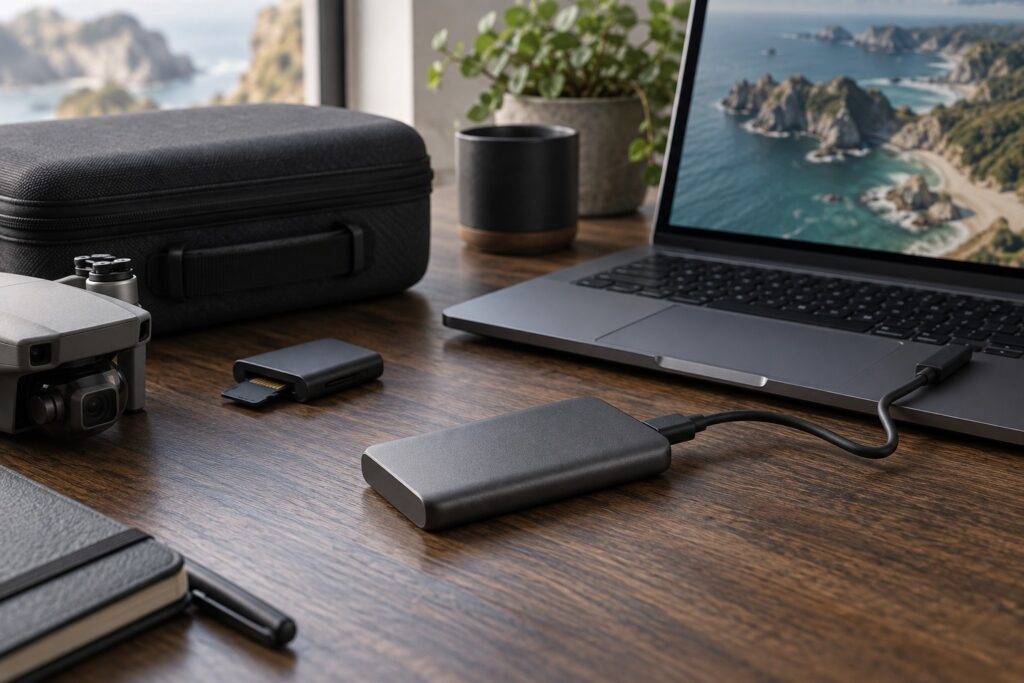
For most drone card imports and ordinary editing, a suitable portable SSD with enough capacity is a good starting point. I would put a separate backup drive ahead of paying extra for top transfer speeds, then consider a faster working drive for large project moves.
The Samsung T7 Shield 1TB suits a portable footage library on a 10Gbps USB connection. Choose the Samsung T9 2TB when your computer supports USB 3.2 Gen 2×2 and you regularly move large projects between fast drives.
Check the black T7 Shield 1TB on Amazon UK. The listing uses the MU-PE1T0S/WW code; Samsung’s UK page uses MU-PE1T0S/EU. Confirm the seller, regional warranty and included cables before buying.
T7 Shield or T9: the decision that matters
| Your workflow | Starting point | Check before buying |
|---|---|---|
| Copying drone microSD cards after a shoot | T7 Shield | Card-reader speed and storage capacity; the SSD may already be faster than the source. |
| Editing one compressed drone-video stream | T7 Shield or an existing compatible SSD | Actual footage bitrate, codec decoding and available free space. |
| Moving large projects between fast internal storage and an external drive | T9 | Explicit 20Gbps Gen 2×2 support, suitable cable and a fast source. |
| Only one copy of valuable footage exists | A separate backup destination first | Keep a second copy on a separate destination. |
The linked examples are 1TB and 2TB. Work out how much footage you need to retain, then compare the same capacity in each range alongside current delivered prices.
Understand the three speeds in your workflow
There are three separate jobs: recording to the drone’s card, copying that card to storage, and reading files during editing. A specification that helps one job may do little for another.
The Mini 4 Pro’s stated maximum bitrate is 150Mbps, equivalent to 18.75MB/s after dividing by eight. That helps explain the storage demand of a single video stream. An edit may also read several streams, proxies and render files, while compressed-codec decoding adds work for the computer.
Drone card → card reader → USB port or hub → computer → destination SSD
Check the slowest part of this path before buying. A slow card reader is the useful upgrade when it is holding up imports; faster drive-to-drive work may benefit from the SSD and USB connection.
Kingston’s MobileLite Plus microSD reader has a USB 3.2 Gen 1 connection to the computer, with UHS-II support and UHS-I backward compatibility on the card side. Match both sides of the reader to the rest of your setup.
Before replacing the drive, check the card side with our UHS-I versus UHS-II card-reader guide.
How much time can faster storage save?
Here is what different average transfer rates would mean for a 100GB folder. Divide 100,000MB by the rate to calculate the time.
| Assumed sustained rate | Calculated time for 100GB | What it illustrates |
|---|---|---|
| 90MB/s | 18 minutes 31 seconds | A slower source can dominate the whole job. |
| 400MB/s | 4 minutes 10 seconds | Removing a real bottleneck can matter more than buying the fastest drive. |
| 900MB/s | 1 minute 51 seconds | Fast drive-to-drive copying can benefit from a quicker connection. |
| 1,800MB/s | 56 seconds | Higher-speed storage helps only when the rest of the path can sustain it. |
These worked examples assume constant rates. Allow extra time for small files, speed changes and verifying the copy. Use the rate of your complete setup when deciding how much waiting a faster drive could save.
Check the computer, cable and hub
Samsung rates the T7 Shield at up to 1,050MB/s sequential reading and 1,000MB/s writing over USB 3.2 Gen 2, a 10Gbps interface. Samsung’s T9 data sheet rates the 2TB model at up to 2,000MB/s sequential reading and 1,950MB/s writing through USB 3.2 Gen 2×2, a 20Gbps interface.
Look for explicit USB 3.2 Gen 2×2 support in your computer’s port specification to use the T9’s 20Gbps connection. USB-C, USB4 and Thunderbolt labels cover other capabilities, so check the supported USB modes for that exact computer.
PC Builders Guide’s external SSD USB speeds explained shows how to match the drive, port and cable before paying for a faster model.
Try the drive directly in the computer as well as through your usual hub. Check the cable’s supported rate too. If the direct connection is quicker, changing the hub or cable may solve the delay.
The quoted Samsung rates are maximum sequential specifications. File mix, free space, temperature and host hardware affect transfers; the T9 data sheet gives its measurement conditions.
Size the drive around footage you actually retain
At a constant 150Mbps, one hour of footage is approximately 67.5GB: 150 ÷ 8 × 3,600 ÷ 1,000. If your average recording rate is lower, files will be smaller. Still photographs, exports, audio and editing caches add to the total.
| Recorded footage | At an assumed constant 150Mbps |
|---|---|
| 30 minutes | 33.75GB |
| 2 hours | 135GB |
| 5 hours | 337.5GB |
| 10 hours | 675GB |
I suggest allowing roughly a fifth of the drive for growth and working files when planning capacity. Treat that as a budgeting margin and adjust it to your projects.
With that allowance, a nominal 1TB drive gives an 800GB project budget. At the example rate, that holds about 11.9 hours of original video before additional project files; 2TB doubles it. Count the shoots you want available together, plus exports, audio and editing caches.
Keep a separate backup
Samsung gives the T7 Shield an IP65 rating and drop resistance up to three metres under its test conditions. Keep it out of water and protect the connectors; Samsung excludes liquid and dust damage from the warranty.
Keep your working copy and backup physically separate when travelling. Two drives inside the same drone case share the same loss risk. For valuable work, use a three-copy plan with one copy offsite; CISA’s backup guidance explains the 3-2-1 approach, including different media types.
A repeatable end-of-shoot routine
- Create a dated folder with a clear location or job name. Keep the original card folder structure where your workflow needs it.
- Copy the files to the working drive and a separate backup destination.
- Use a verified-copy tool or checksum comparison where practical. Also open representative clips and check that recordings play through correctly; matching checksums cannot fix a damaged original.
- Record which cards are copied and verified. Keep cards untouched until the copies and project contents are confirmed.
- Eject drives safely, then store one copy separately. Add the offsite copy as soon as practical.
Plan to use a compatible computer or another suitable host to manage the copy between a card reader and portable SSD.
The buying decision
Compare the T7 Shield if you want compact storage for card offloads and ordinary drone-video projects. Compare the T9 if you have verified 20Gbps Gen 2×2 support and a workflow that can use it. If you already have a suitable working SSD, a separate backup may be the more valuable next purchase.
For the recording side of the workflow, read our drone microSD card guide. The Mini 4 Pro specifications provide the bitrate used in this article’s calculations.